Skip to content
product tour

Take a tour of Varman.

Six screens from a demo workspace, from the compliance overview to phishing simulation. Pick a step, or use the arrow keys to move through them.

app.varman.io/overview
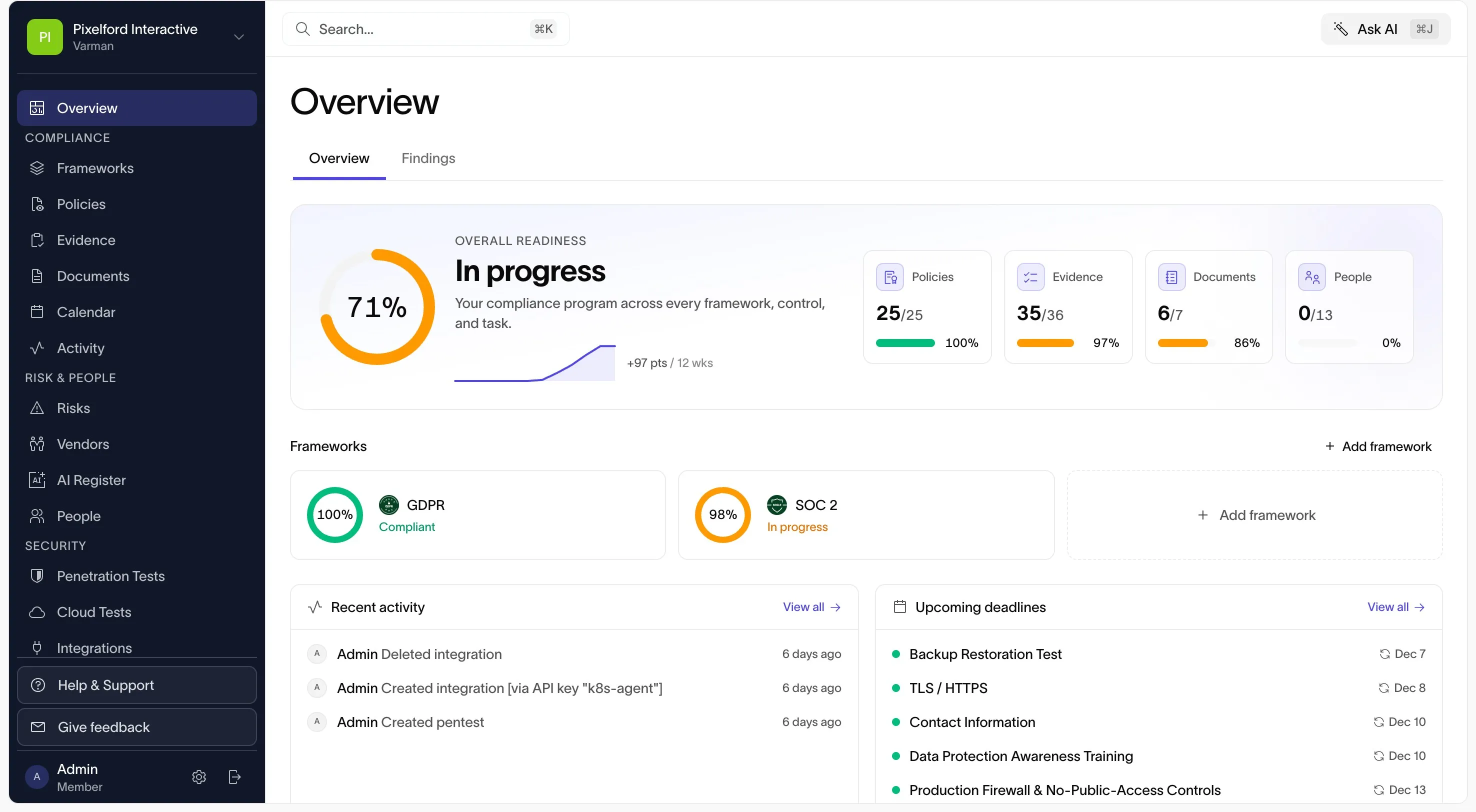
Compliance overview with overall readiness, policy, evidence, document, and people progress, and per-framework readiness
Demo workspace

Step 1 of 6

Overview

The overview shows readiness across every framework, control, and task in one place, with progress on policies, evidence, documents, and people, plus recent activity and upcoming deadlines.

More on overview
  1. Overall readiness as a single figure, with the trend over the last 12 weeks.
  2. Policies, evidence, documents, and people, each counted against what is required.
  3. Readiness per framework, so you can see which one is closest to audit.
app.varman.io/frameworks
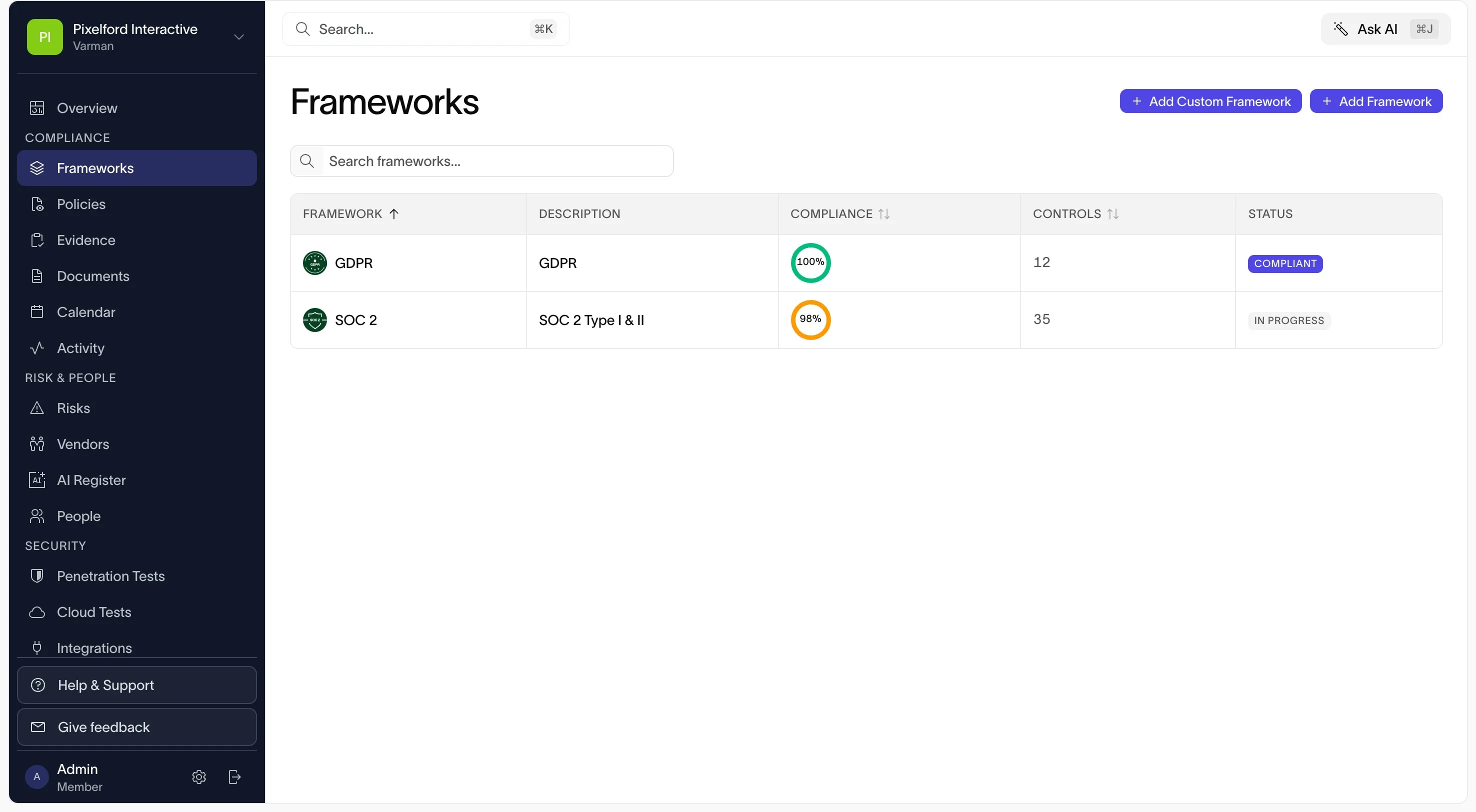
Frameworks table listing GDPR and SOC 2 with compliance score, control count, and status
Demo workspace

Step 2 of 6

Frameworks

Every framework you adopt sits in one table with its compliance score, control count, and status. One control set is mapped across all of them, so evidence collected once counts toward each framework that needs it.

More on frameworks
  1. Compliance per framework, from the controls and evidence behind it.
  2. The number of controls mapped to each framework.
  3. Add a prebuilt framework, or define a custom one.
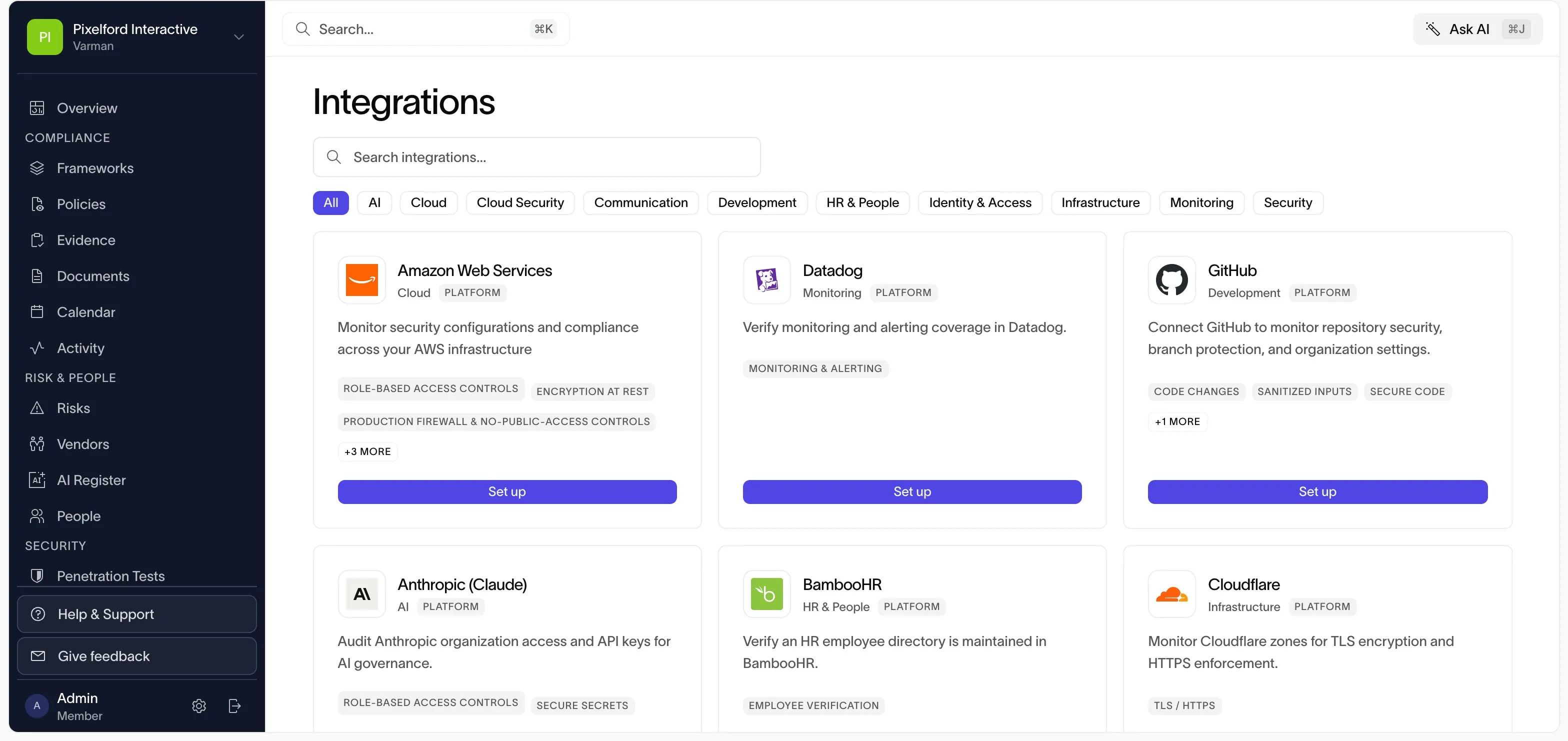
app.varman.io/integrations
Integrations catalog with category filters and cards for AWS, Datadog, GitHub, Anthropic, BambooHR, and Cloudflare
Demo workspace

Step 3 of 6

Integrations

Connect the systems you already run. Each card lists the controls its checks cover. Checks re-run on a schedule and compare live configuration against your controls, and a failing check shows up against the control it affects.

More on integrations
  1. Filter the catalog by category: AI, cloud, identity, HR, monitoring, and more.
  2. The controls each integration collects evidence for.
  3. Set up connects the integration to your workspace.
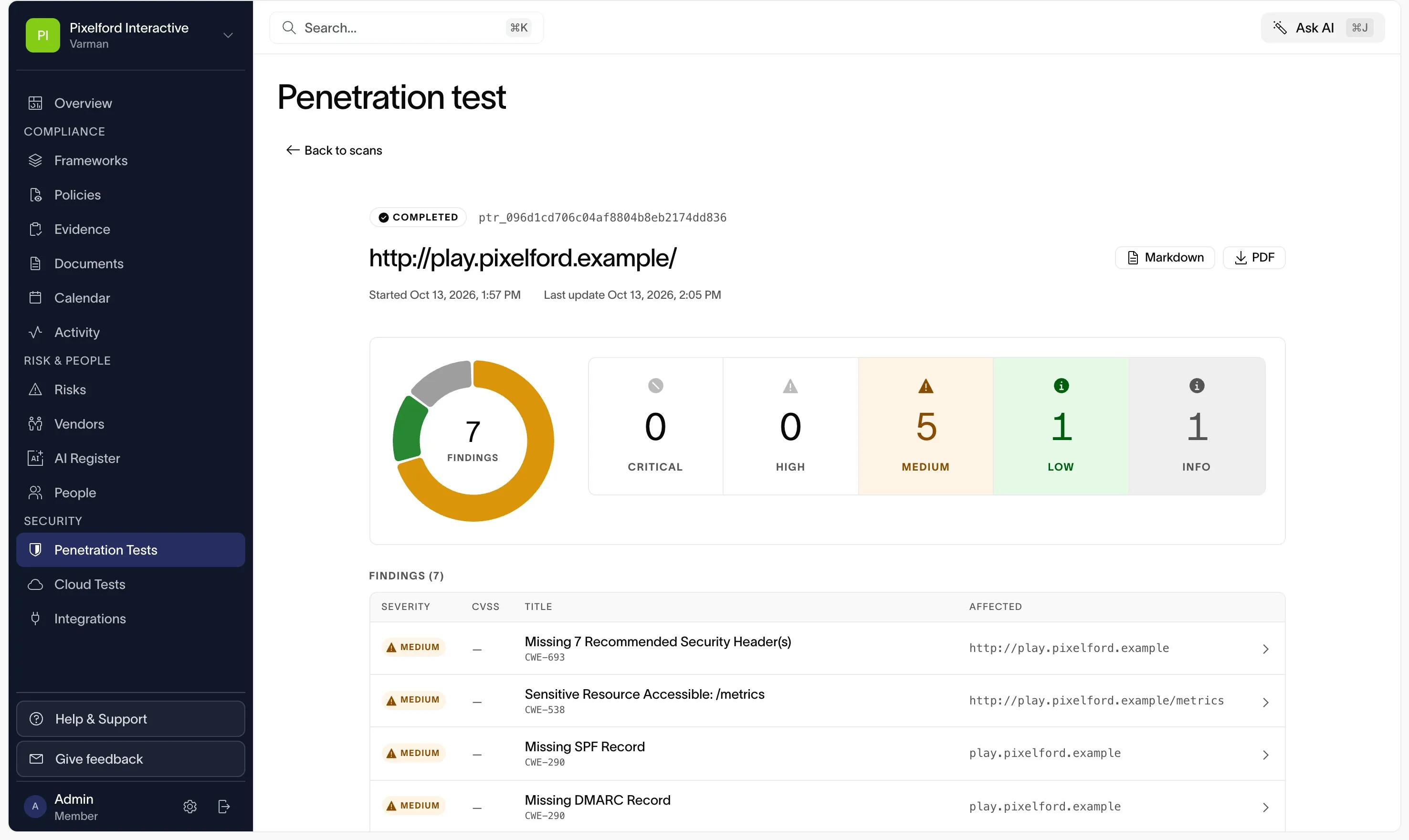
app.varman.io/security/penetration-tests
Completed penetration test with findings counted by severity and a findings table with CWE references
Demo workspace

Step 4 of 6

Penetration testing

Run a penetration test on demand or on a recurring schedule. Each finding is listed by severity with a CWE reference, and results stay in the platform beside your controls.

More on penetration testing
  1. Findings counted by severity, from critical to info.
  2. Each finding carries a CWE reference and the affected URL or host.
  3. Export the report as Markdown or PDF.
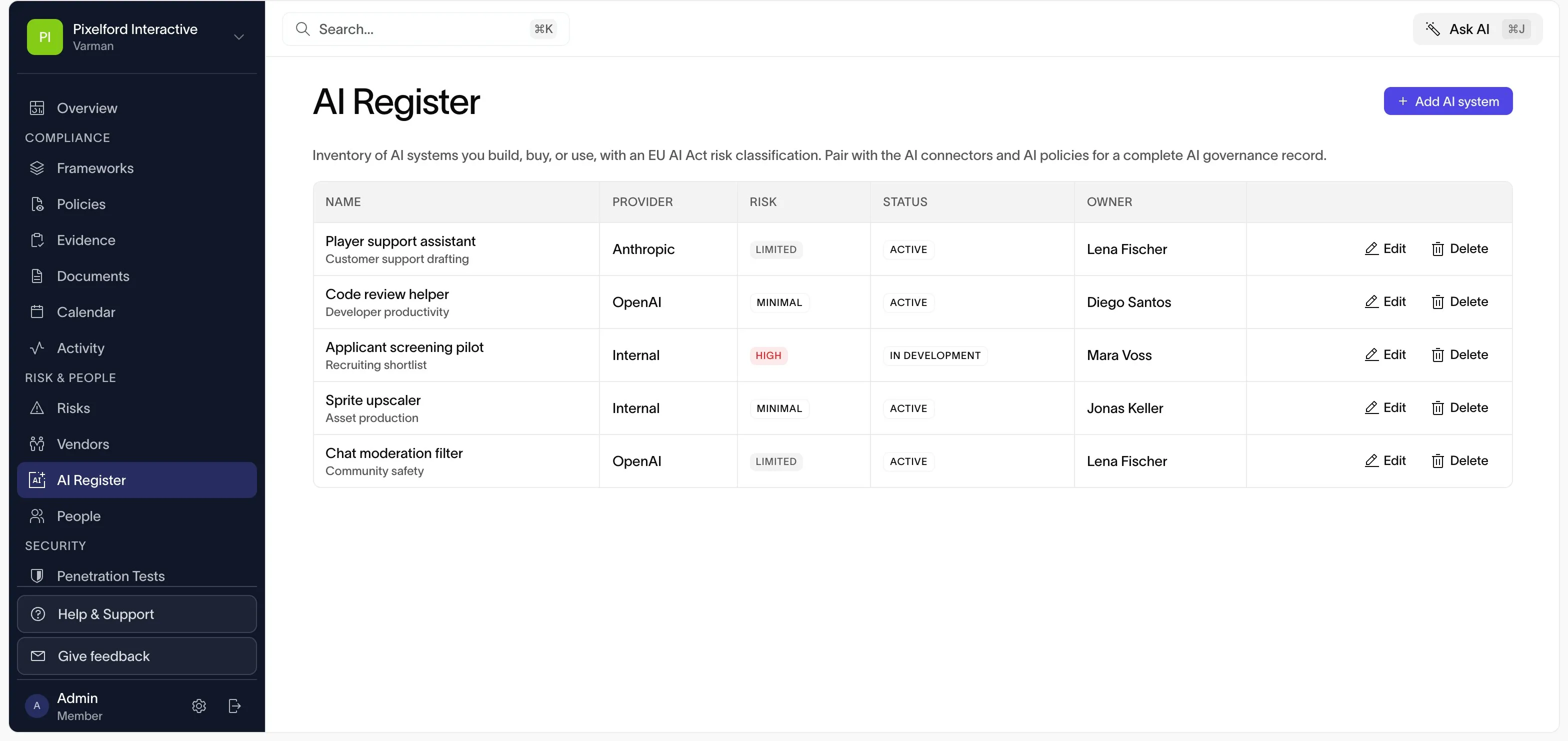
app.varman.io/ai-register
AI System Register listing AI systems with provider, EU AI Act risk tier, status, and owner
Demo workspace

Step 5 of 6

AI governance

The AI System Register lists the AI systems you build, buy, or use, with provider, EU AI Act risk tier, status, and owner. Pair it with the ISO 42001 framework, AI policy templates, and the OpenAI and Anthropic connectors.

More on AI governance
  1. Add a system you build, buy, or use.
  2. Classify each system against EU AI Act risk tiers.
  3. Every system has a named owner.
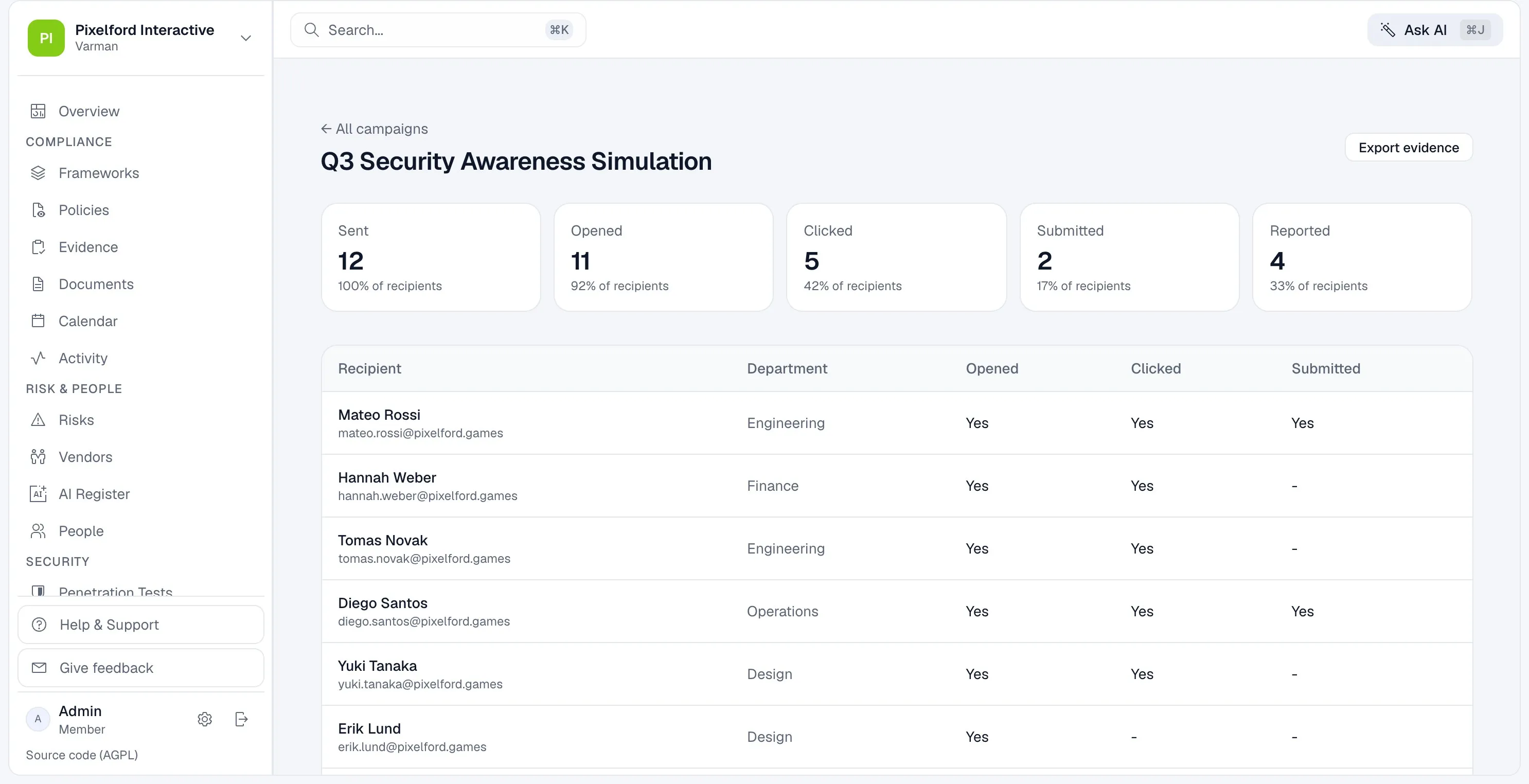
app.varman.io/phishing
Phishing campaign results with sent, opened, clicked, submitted, and reported counts and a per-recipient table
Demo workspace

Step 6 of 6

Phishing simulation

Run simulated phishing campaigns from difficulty-graded templates and see who opens, clicks, and reports. Every recipient lands on a training page, and no credentials are ever collected.

More on phishing simulation
  1. Sent, opened, clicked, submitted, and reported, as counts and shares of recipients.
  2. Results per recipient and department.
  3. Export the results as evidence for your security-awareness control.

See it against your own stack.

A demo walks through the frameworks you need and the systems you already run.